
MS Access to MySQL Database Converter
➤ MS Access to MySQL Database Converter software is quick and accurate tool that converts large volume database records of Microsoft MS Access databases to MySQL server. Software is capable to securely and easily convert the database tables or records even with password protected MDB file. Database Converter Tool converts indexes with all necessary attributes, selected individual tables or entire database records of Microsoft MS Access databases to MySQL server effectively.
➤Capable to merge MS Access data base convert records into existing MySQL database accurately with supports to all MS access data types or attributes. MS Access to MySQL Converter tool is easy to use, non-destructive, read-only utility that does not require any technical skills to operate it.
Screenshots of MS Access to MySQL Database Converter
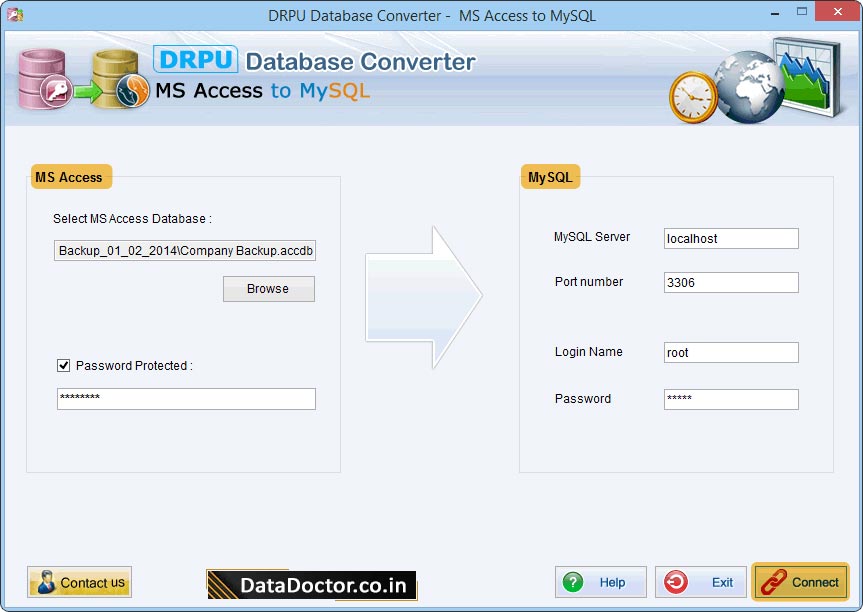
Establish connection between MS Access and MySQL server.
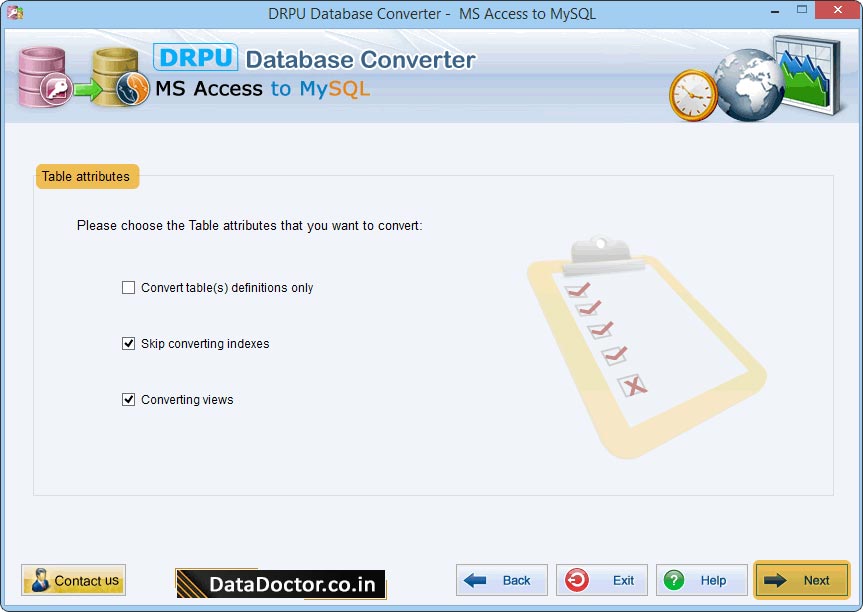
Choose Table attributes which you want to convert into MySQL.
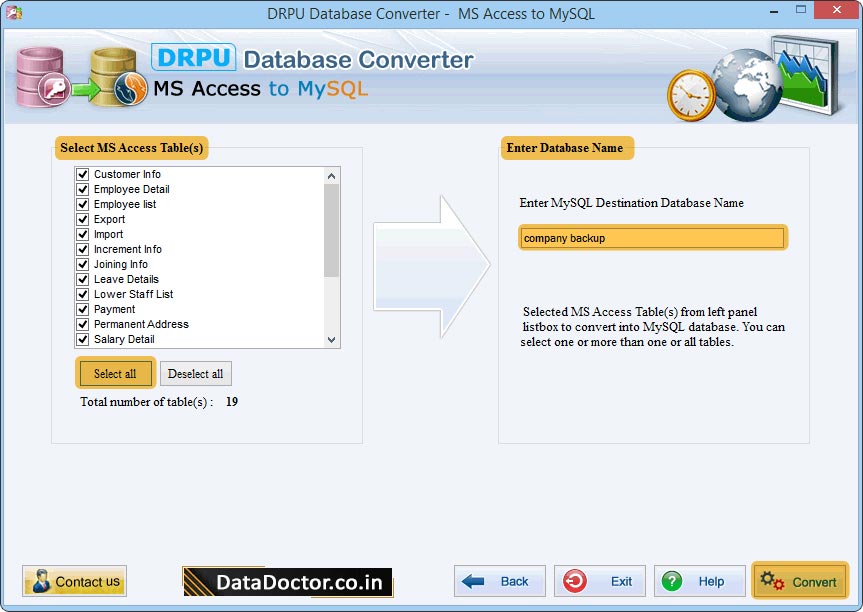
Select MS Access Table(s) from left panel and enter MySQL database name. Click on 'Convert' button to proceed.
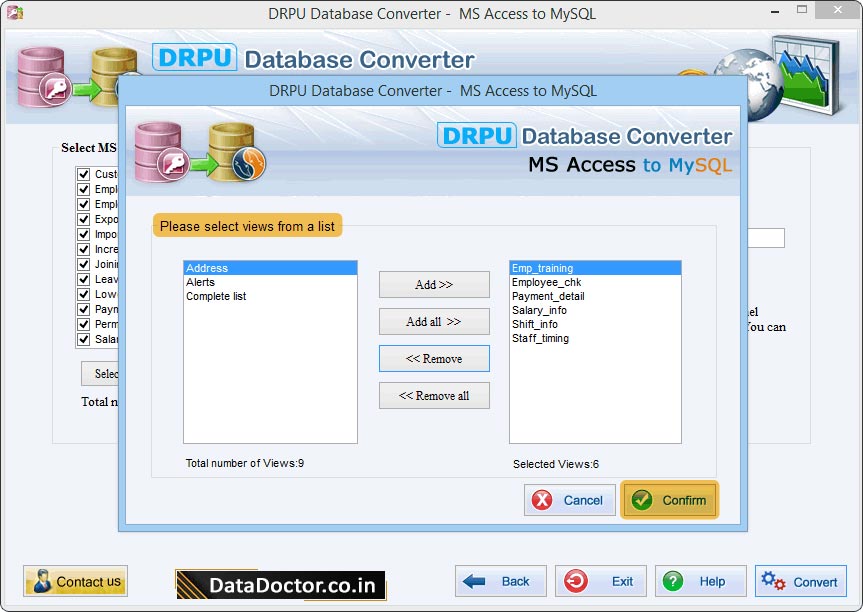
Select views from list. If you want to remove selected views then click on 'Remove' button.
✶ Software provides support to all MS Access data types and attributes.
✶ Software easily converts password protected MS Access database records.
✶ Software provides facility to merge MS Access converted database records into existing MySQL database.
Freeware database transformation application provides easy way to convert structured table records or entire database from MySQL to MSSQL database support all major versions of MSSQL to convert database into new destination database, or merge with existing database.
Our Software


